

Every BIM team has a few tricks they picked up the hard way. Not from a manual, but from a deadline, a messy model, or a coworker leaning over to say "wait, don't do it like that."
Revit is one of those tools where the manual only gets you so far. The real knowledge lives in the small habits people build over years of actually using it. The shortcut nobody taught you. The workaround you found at 11pm before a submission. The thing you now do automatically without remembering when you started doing it.
So this month, we asked around. We sat down with people across our BIM team and asked them to share the habits, shortcuts, and lessons that actually changed how they work. Not textbook answers. Real ones.
Here's what they told us.
Favorite Shortcuts and Everyday Habits
What's your favorite Revit shortcut?
VV (Visibility/Graphics). I probably use it hundreds of times in a project while checking model elements and imported categories. (Nilay, Jr. BIM QAQC Specialist)
What's a habit you use on almost every project that most people skip?
Checking lineweights. It also ties into my favorite shortcut. Lineweight issues can easily go unnoticed while working in the Revit environment, but they often become obvious in the final PDF. I always adjust lineweights through Visibility/Graphics when needed to ensure the output is clean. (Nilay, Jr. BIM QAQC Specialist)
Is there a workflow trick that saved you real time this year?
Schedules have been a real time-saver for me this year. While some projects still rely on manually drafted tables made with detail lines and text. Schedules can extract information directly from the model, they update automatically as the design evolves, reducing manual work, minimizing errors, and making documentation much more efficient. (Gizay, BIM Production Architect / Quality Expert)
Lessons Learned the Hard Way
What's a mistake you made early on with Revit that changed how you work now?
A mistake I made early on was relying on dummy tags instead of model-based tagging. As I gained experience, I realized that annotations should reflect the information stored in the model, not replace it. Using Tag by Category makes documentation more reliable, reduces manual errors, and allows changes to be reflected quickly whenever element data is updated. (Nilay, Jr. BIM QAQC Specialist)
What's the most common issue you see in models that come from other firms, and how do you fix it?
The most common issue I see in models from other firms is inconsistent naming. I often find spelling mistakes, misnamed families, unclear view names, and inconsistent naming conventions. This usually happens because teams are working quickly, and naming is treated as a lower priority. While it may seem minor, it makes models much harder to navigate, maintain, and coordinate.
Another common issue is the misuse of Revit categories. For example, I've seen railings used to model wall bases or baseboards, and instead of using proper window families, openings are created and then filled with curtain walls. These workarounds may look acceptable visually, but they cause problems with schedules, tagging, quantities, filtering, and future model maintenance.
To fix these issues, I first audit the model to identify inconsistent naming and incorrect modeling practices. I then rename elements according to the project standards and replace incorrectly categorized elements with the appropriate Revit families whenever practical. My goal is to leave the model clean, consistent, and aligned with BIM best practices so it is easier for everyone on the project to use. (Cigdem, BIM Team Coordinator / BIM Production Architect)
Teaching and Training
If you were training a new hire on Revit, what's the first thing you'd show them?
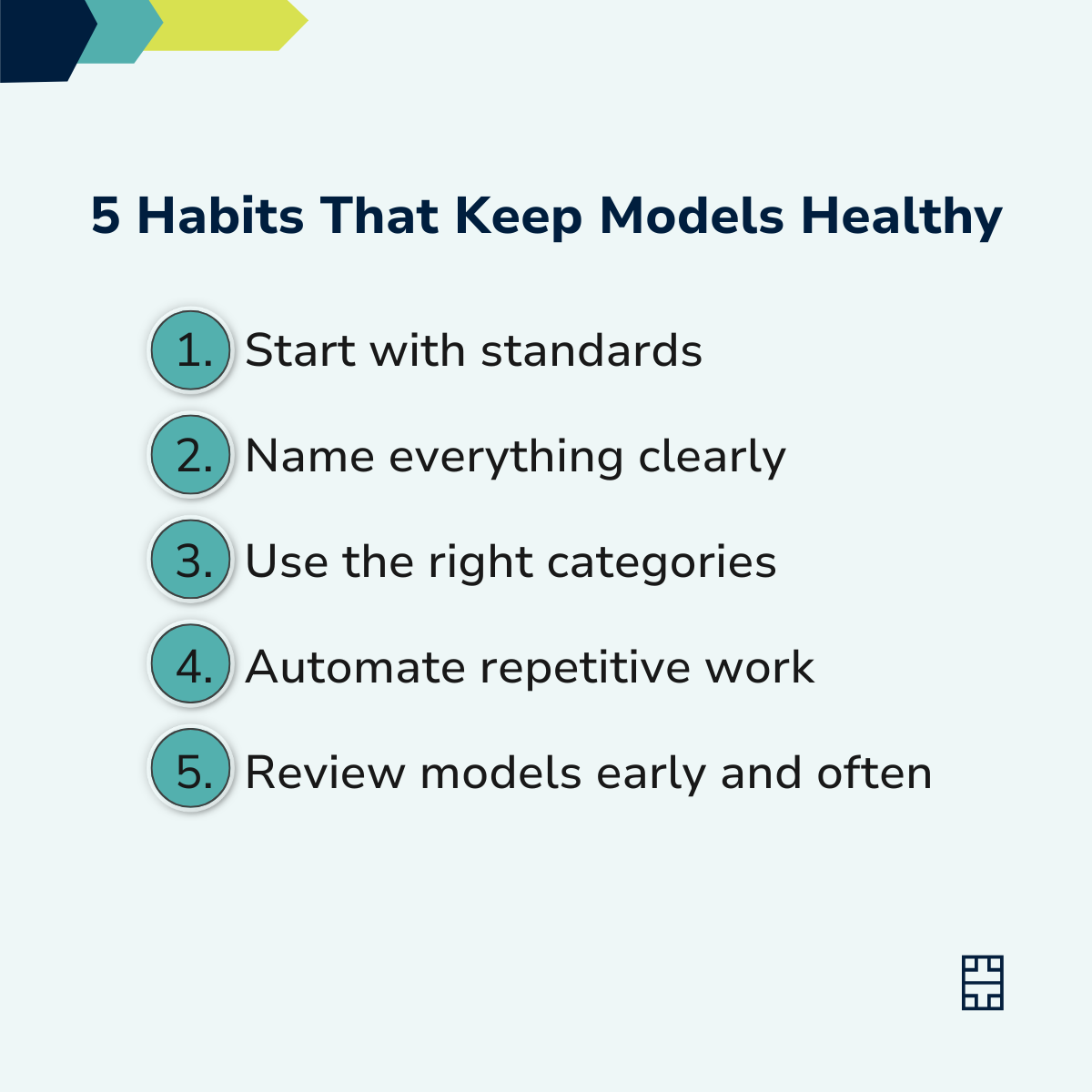
I'd show them our project standards before any modeling. Learning how the team works is just as important as learning the software. (Eda, BIM Team Coordinator / BIM Production Architect)
What's a Revit feature you think is underused or misunderstood?
View Templates. They're one of the easiest ways to keep large projects consistent across different sheets. (Nilay, Jr. BIM QAQC Specialist)
Staying Organized
How do you keep large models organized without them turning into a mess?
I schedule regular model reviews throughout the project. Catching small issues early is much easier than fixing a cluttered model at the end. (Eda, BIM Team Coordinator / BIM Production Architect)
What's your go-to method for naming and organizing views, sheets, or families?
I always follow the project's naming standards and keep them consistent across views, sheets, and families. Using clear prefixes, separators, and descriptive names makes the model easier to navigate and search items on the project. (Nilay, Jr. BIM QAQC Specialist)
Working With Clients
What do you wish clients understood about how Revit models actually work?
A Revit model isn't just a 3D model, everything is connected. Even small changes can affect multiple views, schedules, and sheets, so coordination and planning are essential. (Eda, BIM Team Coordinator / BIM Production Architect)
What's one thing you'd tell a client to make collaboration easier on both sides?
Structural and MEP models are sometimes linked into the architectural model later in the process. Providing these source models as early as possible enables better coordination from the start, helping prevent clashes and inconsistencies while making collaboration much more efficient for everyone involved. (Nilay, Jr. BIM QAQC Specialist)
A Few Quick Hits
We also asked people to answer in one line, no explanation needed. Here's what came back:
Favorite Revit shortcut: Align tool
One tool you didn't know existed until someone showed you: “Sheet Issues / Revisions” under Additional Settings
Most overused feature: Model-in-place families. It's a life saver, but using a proper family would be a long-term solution.
The habit you can't work without anymore: Definitely “Synchronize with Central” button!It's important that what you've done doesn't go to waste.
That's what our team had to say this month. What stands out, reading through these, is how much of the best knowledge never makes it into a manual. Nobody writes a training doc for "the shortcut I use without thinking about it anymore" or "the mistake that changed how I model forever." It gets passed along one person at a time, usually because someone happened to be sitting next to the right coworker at the right moment.
That's really what this newsletter is about. Not Revit tips in the abstract, but the specific, hard-won habits of the people who use it every day, on real projects, under real deadlines.
If you've got a Revit habit, shortcut, or hard-earned lesson of your own, we want to hear it. We might feature it next time, and there's a good chance someone reading this needs exactly the trick you've been sitting on.
Until then, happy modeling.